Photorealistic image generation
On Phota AI, get rich detail, believable lighting, and accurate composition from descriptive prompts — ideal for campaigns, lookbooks, and storyboards.
Describe your subject, scene, lighting, and style — Phota Text-to-Image on Phota AI produces detailed, photorealistic results at up to 4K, with flexible aspect ratios and export formats for any workflow.
Phota Text-to-Image on Phota AI is built for creators who need dependable photorealism, resolution control, and format flexibility — not one-off novelty images.
On Phota AI, get rich detail, believable lighting, and accurate composition from descriptive prompts — ideal for campaigns, lookbooks, and storyboards.
Generate at 1K for quick iterations or 4K for print, posters, and large-format displays without switching tools outside Phota AI.
Phota AI outputs auto, 1:1, 16:9, 4:3, 3:4, or 9:16 so assets fit social feeds, stories, banners, and editorial layouts.
Export JPEG, PNG, or WebP from Phota AI — pick smaller files for speed, PNG for crisp text overlays, WebP for modern web stacks.
Where teams use Phota Text-to-Image on Phota AI most often.
Produce on-brand visuals at production-ready resolutions — launch visuals, paid social, and landing hero art without a full photoshoot; Phota AI keeps delivery consistent.
Generate lifestyle scenes and clean catalog-style frames from text when you need volume and consistency across SKUs — all in Phota AI.
Explore characters, scenes, and platform-native crops (16:9, 9:16, 1:1) in one Phota AI workflow for pitches and daily content.
Real before-and-after style workflows you can try in the Phota AI editor.
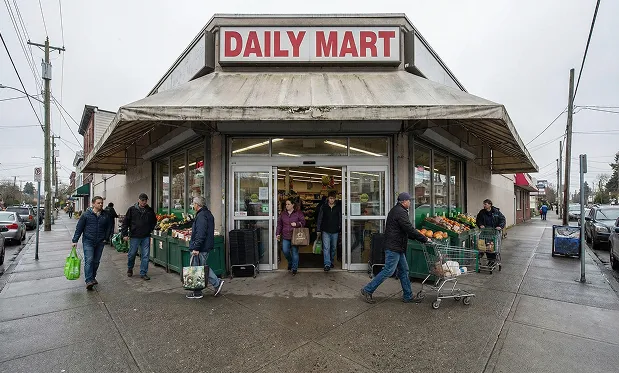
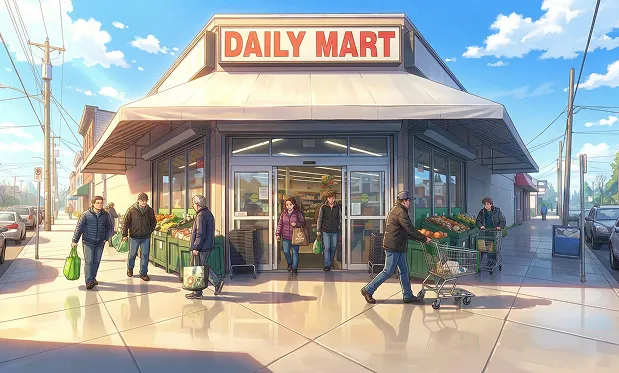
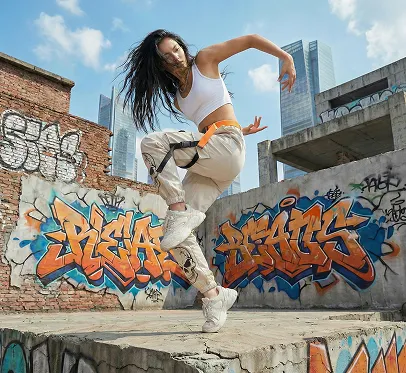
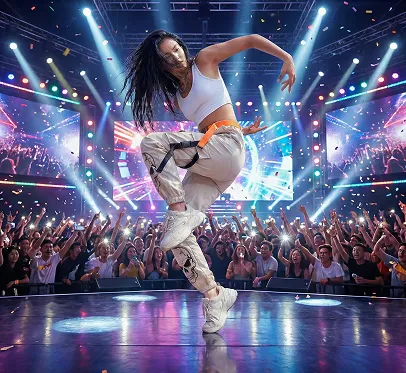
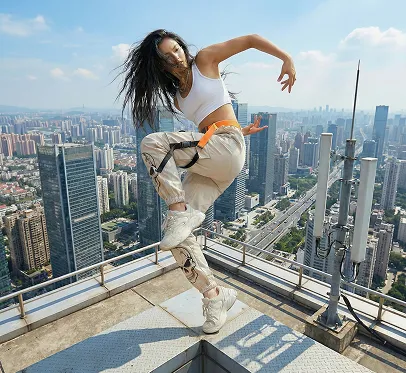
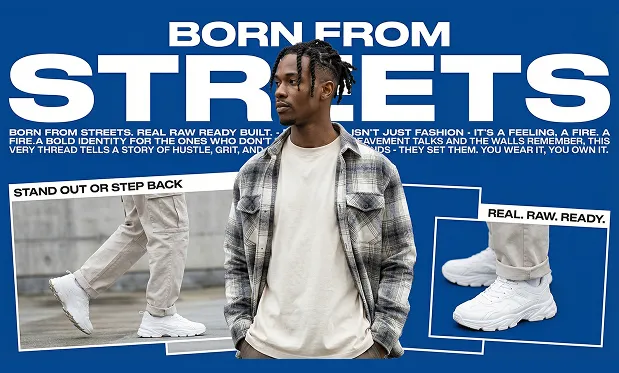
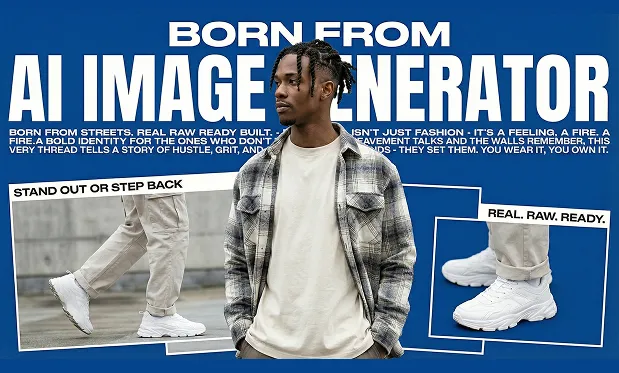
Phota AI remains a top choice when prompts demand precise instruction following alongside photorealistic output. The scores below illustrate Phota AI on the RedEdit-style evaluation track.
Phota AI shows strong composite scores when prompts require structure, lighting, and detail.
High marks where typography and layout fidelity matter for posters and UI mocks.
Phota AI delivers competitive performance on repair-style edits compared with leading open models.
| Model | Overall score | Text preservation | Photo restoration |
|---|---|---|---|
| Phota AI SOTA | 4.56 | 4.97 | 4.56 |
| Qwen-Image-Edit | 4.51 | 4.89 | 4.19 |
| FLUX.2 [Dev] | 4.35 | 4.88 | 4.43 |
Get cleaner prompts and better finals on Phota AI with less rework.
Include camera angle, lighting quality, color palette, and subject detail — specificity beats vague “make it better” instructions in Phota AI.
Generate three to four 1K variations to explore composition, then run a 4K pass once the layout is locked.
Use 16:9 for YouTube and banners, 9:16 for Reels and Stories, 1:1 for feeds — fewer crops downstream in Phota AI.
Teams use Phota AI for production-ready visuals and faster creative cycles.
Faster campaign iterations on Phota AI with consistent lighting and on-brief compositions.
More lifestyle variations on Phota AI without booking endless shoots.
Native aspect ratios on Phota AI reduce rework for multi-platform publishing.
"Output feels controlled — not random “AI slop.” We ship Phota AI assets the same day."
"4K exports saved our print deadline. Prompting with lighting cues in Phota AI actually works."
"Batch runs let us A/B hooks before we lock a hero image — Phota AI makes iteration fast."
"Aspect ratio presets match our paid social specs without extra cropping."
"Output feels controlled — not random “AI slop.” We ship Phota AI assets the same day."
"4K exports saved our print deadline. Prompting with lighting cues in Phota AI actually works."
"Batch runs let us A/B hooks before we lock a hero image — Phota AI makes iteration fast."
"Aspect ratio presets match our paid social specs without extra cropping."
"PNG exports keep our packaging mockups sharp on Phota AI."
"The team finally has one place for concept frames and finals."
"We iterate headlines and key art in hours instead of weeks with Phota AI."
"Good balance of realism and stylization when we name the lens and lighting."
"PNG exports keep our packaging mockups sharp on Phota AI."
"The team finally has one place for concept frames and finals."
"We iterate headlines and key art in hours instead of weeks with Phota AI."
"Good balance of realism and stylization when we name the lens and lighting."
"Helpful for storyboards — we can steer mood with concrete camera notes in Phota AI."
"On-brand colors survive better when we specify palette in the prompt."
"WebP pulls look great on our landing pages with smaller payloads from Phota AI."
"Editors like that we can match 9:16 and 1:1 in one session."
"Helpful for storyboards — we can steer mood with concrete camera notes in Phota AI."
"On-brand colors survive better when we specify palette in the prompt."
"WebP pulls look great on our landing pages with smaller payloads from Phota AI."
"Editors like that we can match 9:16 and 1:1 in one session."
"Fewer reshoot requests because we preview more directions early."
"Clear improvement when we switched from vague prompts to structured descriptions on Phota AI."
"Nice that JPEG/PNG/WebP covers our CMS, print, and app teams."
"Support questions were answered quickly — we could roll out Phota AI to the whole marketing org."
"Fewer reshoot requests because we preview more directions early."
"Clear improvement when we switched from vague prompts to structured descriptions on Phota AI."
"Nice that JPEG/PNG/WebP covers our CMS, print, and app teams."
"Support questions were answered quickly — we could roll out Phota AI to the whole marketing org."
Phota Text-to-Image turns natural language into photorealistic images. Describe subject, scene, lighting, and style — the model on Phota AI returns detailed results at up to 4K with flexible aspect ratios and export formats.
You can start on Phota AI with a generous free tier. Paid plans unlock higher throughput and priority processing. Check the in-app pricing page for the latest limits.
You can explore Phota AI quickly; sign-in unlocks history, billing, and saved API keys. Guest access may be available depending on your region.
General tools focus on “image from scratch.” Phota Text-to-Image on Phota AI is tuned for crisp composition, lighting, and texture from detailed prompts, with 1K/4K output and batch-friendly workflows.
On Phota AI, generate at 1K for fast iteration or 4K for print and large displays. Pick the resolution that matches your delivery channel.
Phota AI supports auto, 1:1, 16:9, 9:16, 4:3, or 3:4 so outputs fit feeds, stories, banners, and print without extra cropping.
Export JPEG, PNG, or WebP from Phota AI depending on whether you need smaller files, transparency, or lossless graphics with text overlays.
Set how many variations you want in the Phota AI editor (up to four per run). Each variation is billed according to your plan and resolution.
The Prompt Enhancer in Phota AI expands short ideas into richer descriptions — helpful when you want stronger lighting, camera, and style cues without writing a long prompt manually.
Review the Terms and your plan. Many teams use Phota AI for marketing, e-commerce, and social assets; confirm licensing for your organization.
Prefer PNG when overlays or logos must stay crisp. Mention “sharp typography” or “legible signage” in your Phota AI prompt for better results.
Latency depends on resolution, queue, and region. 1K previews are fastest; 4K takes longer. Watch the in-app progress indicator in Phota AI.
Yes — the Phota AI web app is responsive. Use a stable connection and avoid switching tabs during long 4K jobs.
Name the camera angle, lighting quality, color palette, and subject detail. The more specific you are in Phota AI, the more controllable the image.
Yes — generate several 1K variations on Phota AI to explore composition, then lock in a 4K render for final delivery.
Use in-app help, billing FAQs, and support email from the footer. Enterprise teams can request Phota AI onboarding from sales.
Open the Phota AI editor, choose resolution and aspect ratio, and generate photorealistic images in minutes.
Go to the Phota AI image workspace and pick Phota Text-to-Image.
In Phota AI, select 1K or 4K and the crop that matches your channel.
Run batches in Phota AI, then download JPEG, PNG, or WebP for your stack.